A keypad deadbolt and most Wi-Fi smart locks work at the door on their own batteries, with a code or key, no network needed. App control and remote codes are the part that depends on your phone and Wi-Fi. Neither is automatically more secure, so check the lock grade, plan for a dead battery and keep a mechanical backup.
Before every trip the same questions come up. Who feeds the dog? Who gets into the house? What happens at the front door if the batteries die while you are gone? The answers depend on which of three locks you have.
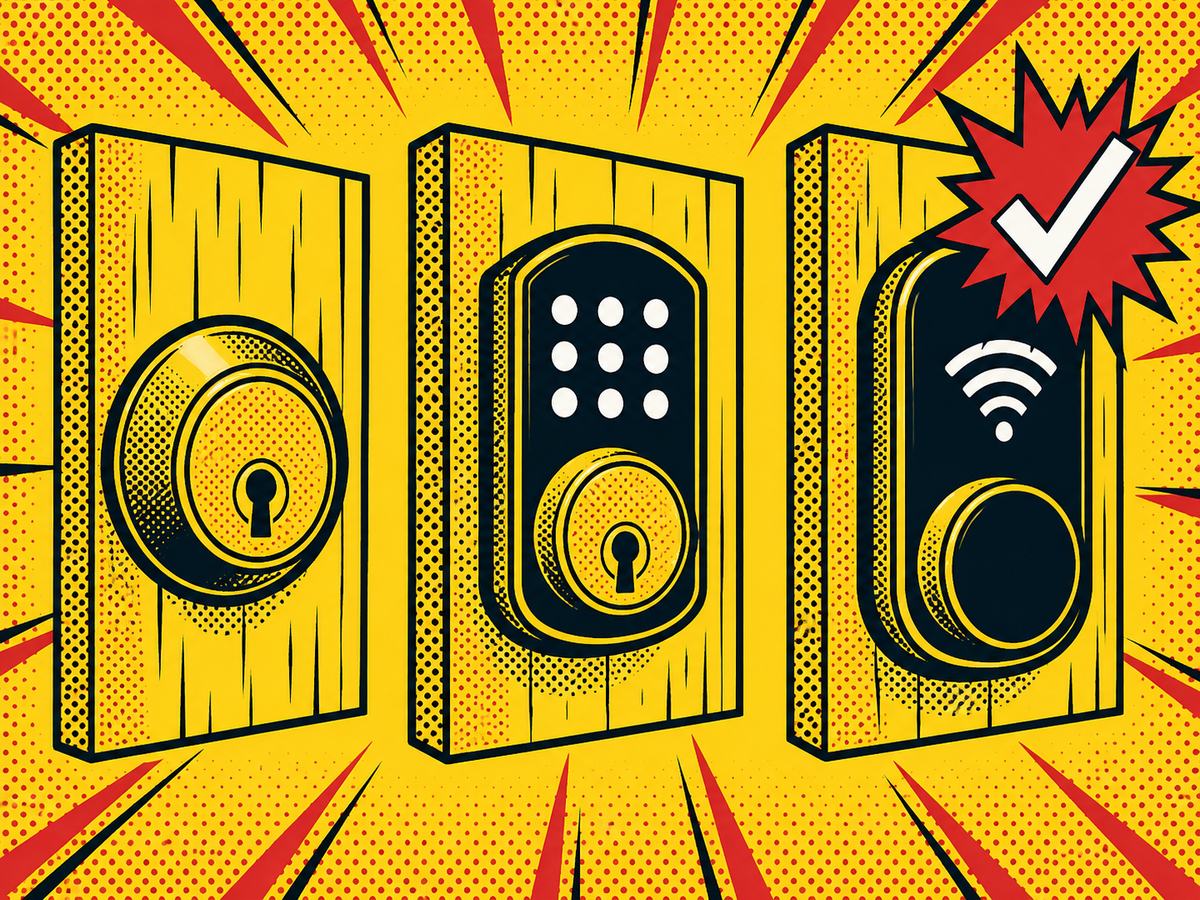
The Three Choices: Keyed Deadbolt, Keypad Deadbolt, Wi-Fi Smart Lock
- Keyed deadbolt: a metal key and a bolt. No batteries, no app, no code to manage. If you want to know what the hardware actually is, see our explainer on what a deadbolt lock is.
- Keypad deadbolt: the same bolt, with buttons. You type a code. It runs on batteries and does not connect to anything. Most have a key cylinder as a backup.
- Wi-Fi smart lock: a keypad or touchscreen lock that also joins your home network. It adds an app, remote codes, lock history and alerts, and each of those is one more thing that can fail.
If you want brand names, our best smart locks roundup covers popular models. This page is about the decision, not the shopping list.
What Fails When: Dead Battery, Dropped Wi-Fi, Lost Phone
This is the table to read before you buy. It shows what keeps working and what stops for each lock type.
| Keyed deadbolt | Keypad deadbolt | Wi-Fi smart lock | |
|---|---|---|---|
| Needs power | No | Batteries | Batteries |
| Needs internet | No | No | Only for remote features |
| Works if your phone dies | Yes | Yes, use the code | Yes, use the code or key |
| Guest codes | No, you copy keys | Yes, set at the lock | Yes, at the lock or in the app |
| Retrofit difficulty | Lowest | Low to moderate | Moderate, depends on the door |
| Main failure to plan for | A lost or copied key | Dead batteries | Offline features and battery drain |
Three failures matter most.
- Dead battery. Most keypad and smart locks warn you for days or weeks before the batteries run out. Many also have a key cylinder or external contacts that can power the lock briefly. Change batteries at the first warning, not the last.
- Dropped Wi-Fi. Most smart locks keep your saved codes on the lock and keep working at the door. What usually stops is remote control and alerts. Some models also hold scheduled or time-limited codes in the cloud, and those may not work while the lock is offline. Schlage, for one, publishes a support article on exactly that question. Check your model.
- Dead or lost phone. A lock that needs your phone to open is a design problem. Make sure a code or key works with no phone at all.
Keep a mechanical key path. A key in a trusted hand beats a clever lock with a dead battery.
Not sure which one your door can take? Call (844) 969-5625, or use request service to describe the door in writing, and ask the dispatcher how to send a photo.
Giving Access to a Sitter or Guest Without Handing Over a Key
A code beats a key for a short stay, because you can delete it the day the stay ends. A key stays in the world until you collect it. The routine is simple:
- Set a separate code for each person. Never share one code among several people.
- Pick something that is not a birthday, an address or 1234.
- Test the code from the outside, with the door closed, before you leave.
- Delete the code the day you get back.
If you rely on scheduled or expiring codes, test them with the Wi-Fi off, since some models treat those differently from permanent codes. A permanent code you remember to delete is the safer default.
Heat, Humidity and Outdoor Doors in the Houston Area
Houston is hot and humid for much of the year, and a front door that takes afternoon sun is hard on electronics and finishes. A few questions to ask before you choose:
- Is the lock rated for the temperature and weather where it will sit?
- Is the finish covered by a warranty against fading and corrosion?
- Where does the keypad face, and does it bake in direct sun?
Atlantic hurricane season runs from June 1 to November 30, so storm outages are a planning item here. A battery-powered lock keeps working through a home power cut. Your internet may not, so remote features can pause until it returns.
If you live in a community with an HOA or design review, ask before you swap visible door hardware. That goes for neighborhoods in Spring, The Woodlands and Cypress as much as anywhere in the city.
Retrofit on an Existing Door: What Fits and What Needs a New Bore or Latch
Most residential doors are drilled for a standard bore: a 2-1/8 inch hole in the face of the door and a 1 inch hole in the edge, with a backset of 2-3/8 or 2-3/4 inches. A keypad or smart deadbolt designed for that standard usually drops in. Things that complicate it:
- A door drilled for a different size, or old patched holes
- A bolt that sticks or a strike plate that does not line up. Fix the alignment first. A motorized lock fighting a sticking bolt drains batteries and fails early.
- Narrow glass doors and some metal doors that need special trim or a different latch
Smart locks you buy yourself are fine. Send us the model and a description of the door, and ask the dispatcher how to send a photo. We will tell you whether it fits as is. WOW Locks has local technicians in the Houston area, whether you need a Spring locksmith, a Woodlands locksmith, a Cypress locksmith or a Houston locksmith anywhere else in the metro.
What Moves the Price
Smart lock installation is a custom quote after we see the door. We do not post a figure because the work changes door to door. What moves the number:
- The lock itself, whether you supply it or we do
- Door prep: new bore, new latch or a patch
- How many doors you want done
- Whether you also want the existing locks rekeyed
A plain keyed deadbolt installation sits on the flat-rate list at $90 for the work, with hardware extra. See the flat-rate price list for what is published, and note that anything beyond it is quoted on the call before a technician is dispatched.
A 10-Minute Pre-Trip Lock Check
Run this the night before you leave:
- Check the battery level on every keypad and smart lock. Replace anything that has shown a warning.
- Test every code from outside with the door shut.
- Test the physical key on each lock that has one.
- Delete old guest codes you no longer need.
- Close the door and confirm the bolt throws fully with no sticking.
- Check the back door, the garage-to-house door and any side gate.
- Leave a key with a trusted person. Not under a mat, not in a planter.
Questions about a lock you own or one you are thinking about? Call (844) 969-5625 or request service. WOW Locks LLC is insured and bonded and holds Texas DPS (TOPS) license B10595301.